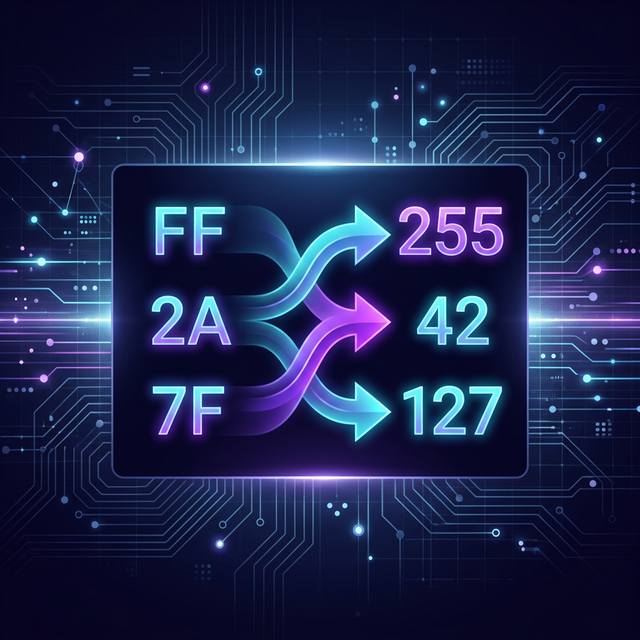
Hexadecimal numbers are everywhere in tech. Color codes. Memory addresses. MAC addresses. IPv6. Yet most people freeze the moment they see one.
The good news? Converting hex to decimal is not hard. You just need to understand two things: what hex actually is, and one simple formula. That's it.
This guide walks you through both. You'll get the formula, two worked examples, and a quick cheat sheet you can bookmark. Let's go.
What Is a Number System, Anyway?
A number system is a way of representing numbers. The key idea is the base (also called the radix). The base tells you how many unique digits the system uses.
Think of it like counting. In everyday life, you count to 9, then start over with 10. That's base 10. Other systems just pick a different stopping point.
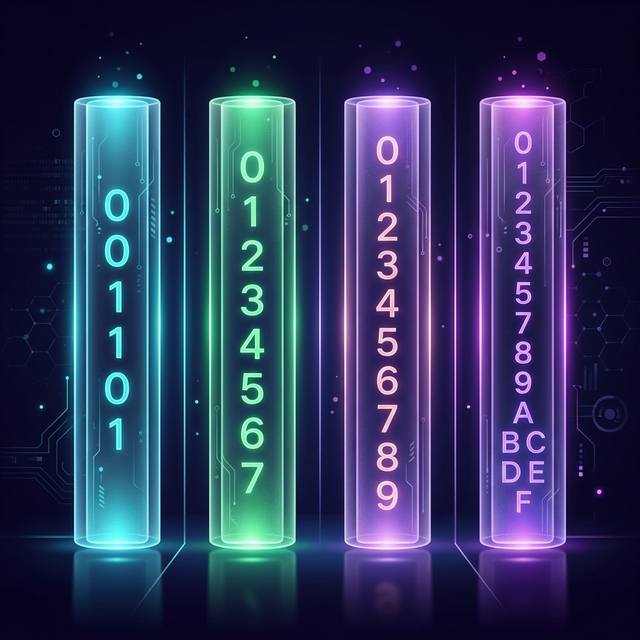
The Four Systems You'll See in Computing
| System | Base | Digits Used |
|---|---|---|
| Binary | Base 2 | 0, 1 |
| Octal | Base 8 | 0–7 |
| Decimal | Base 10 | 0–9 |
| Hexadecimal | Base 16 | 0–9, A–F |
What Is Hexadecimal?
Hexadecimal is a base-16 number system. It uses 16 unique symbols to represent values. Ten of those symbols are digits you already know: 0 through 9. The other six are letters: A through F.
Each letter maps to a decimal value. Here's the full table:
Quick Rule: A = 10, B = 11, C = 12, D = 13, E = 14, F = 15. Memorize this and you're halfway there.
Why Does Computing Use Hex?
Computers store data in binary (1s and 0s). Binary numbers get very long very fast. Hexadecimal is a compact way to write the same data. One hex digit represents exactly four binary digits (called a nibble).
That's why you see hex everywhere in code. It's not a conspiracy. It's just efficient.
- Color codes:
#FF5733is a hex value for an orange-red shade - Memory addresses:
0x1A4Fis how programmers refer to a specific memory location - MAC addresses: Unique hardware IDs like
00:1A:2B:3C:4D:5Euse hex - IPv6: Longer internet addresses like
2001:0db8:85a3::8a2e:0370:7334use hex
The Formula: Hexadecimal to Decimal
Every number system uses positional notation. That means the position of each digit determines its value. In decimal, the rightmost digit is the ones place, then tens, then hundreds.
In hex, each position is a power of 16 instead. The rightmost digit is 16⁰ (which equals 1), the next is 16¹ (which equals 16), and so on.
The General Formula
Decimal = (dn × 16n) + (dn-1 × 16n-1) + … + (d0 × 160)
Where d is each hex digit and n is its position, counting from 0 on the right.
Step-by-Step Method
- Write down the hexadecimal number.
- Assign positional powers of 16 to each digit, starting from the right (position 0).
- Convert any letters (A to F) to their decimal equivalents.
- Multiply each digit by its power of 16.
- Add all the results together.
- The final sum is your decimal number.
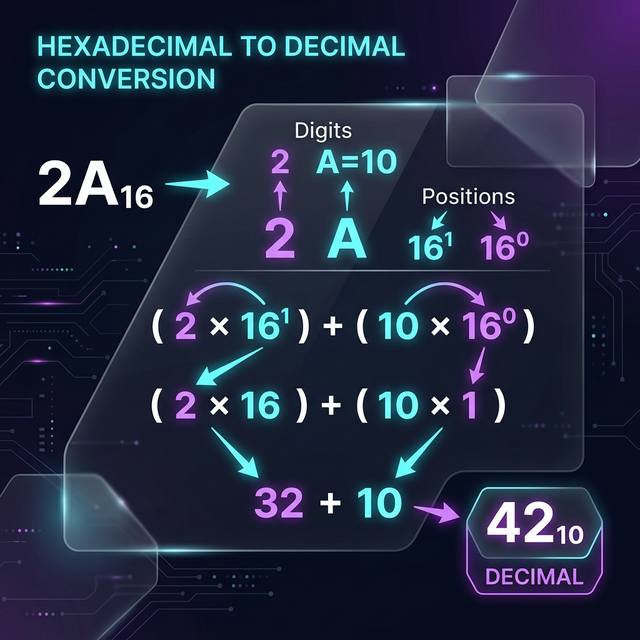
Example 1: Convert 2A to Decimal
Let's walk through this one step by step.
Step 1: Write the number and assign positions
The hex number is 2A. It has two digits.
- 2 is in position 1 (second from the right)
- A is in position 0 (rightmost)
Step 2: Convert letters
A = 10. Nothing else to convert here.
Step 3: Apply the formula
(2 × 161) + (10 × 160)
= (2 × 16) + (10 × 1)
= 32 + 10
= 42
2A in hexadecimal = 42 in decimal
Example 2: Convert 7F to Decimal
Same process. Let's run it again to lock it in.
Step 1: Assign positions
- 7 is in position 1
- F is in position 0
Step 2: Convert letters
F = 15.
Step 3: Apply the formula
(7 × 161) + (15 × 160)
= (7 × 16) + (15 × 1)
= 112 + 15
= 127
7F in hexadecimal = 127 in decimal
Quick Steps: Your Cheat Sheet
Bookmark this. You'll use it.
| Step | What to Do |
|---|---|
| 1 | Write down the hexadecimal number. |
| 2 | Convert any letters (A–F) to their decimal values (10–15). |
| 3 | Assign powers of 16, starting from 16⁰ on the right. |
| 4 | Multiply each digit by its corresponding power of 16. |
| 5 | Add all the products together. |
| 6 | The sum is your decimal number. |
Where You'll Use This in the Real World
Hex to decimal conversion isn't just a textbook exercise. It comes up constantly in real technical work.
Computer Programming
Memory addresses are almost always written in hex. When you debug code or read system logs, you need to know what those values mean. Translating them to decimal makes it much easier to reason about ranges and offsets.
Web Design
Every color in CSS starts as a hex code. The value #FF5733 breaks down into three two-digit hex pairs: FF (red), 57 (green), 33 (blue). Each pair converts to a decimal between 0 and 255. That's how your screen mixes colors.
Digital Electronics
Microprocessors and embedded systems speak in hex. When you write firmware or analyze chip behavior, you're constantly reading hex values. Converting them to decimal helps you compare thresholds, set limits, and verify data.
Networking
- MAC addresses: Every network device has one. They're written as six hex pairs (like
00:1A:2B:3C:4D:5E). - IPv6 addresses: The 128-bit addresses that replaced IPv4 are written in hex blocks. Understanding hex makes these addresses readable, not scary.
Wrapping Up
Hexadecimal is not a mystery. It's just a compact number system that uses 16 symbols instead of 10. Converting it to decimal takes one formula and a few seconds of math.
The key things to remember: A through F equal 10 through 15. Each position is a power of 16, starting from the right. Multiply, then add. Done.
Once you get comfortable with this, you'll start seeing hex values everywhere and actually understanding them. That's a real superpower in programming, design, and digital systems.
Ready to Practice?
Try a few more conversions: 1F, 3C, A9. Use the formula, check your answers — or use our instant converter: